
Toshiba Smart Center / Fire TV / Android TV / VIDAA
Toshiba TV remote app for iPhone: setup by TV system
Yes, you can use an iPhone as a Toshiba TV remote when the TV is on the same home Wi‑Fi and runs a supported system. Check Settings > About or System information first: Toshiba Fire TV models use the Fire TV route, Android TV and Google TV models use the on-screen pairing code, VIDAA models use the VIDAA route, and Toshiba Smart Center/REGZA models connect without a PIN when local remote control is available. The Toshiba logo alone does not tell you which method applies. Exact support still depends on the TV model and software version; check the manual for your model if a step does not match.
Download TVRemoteX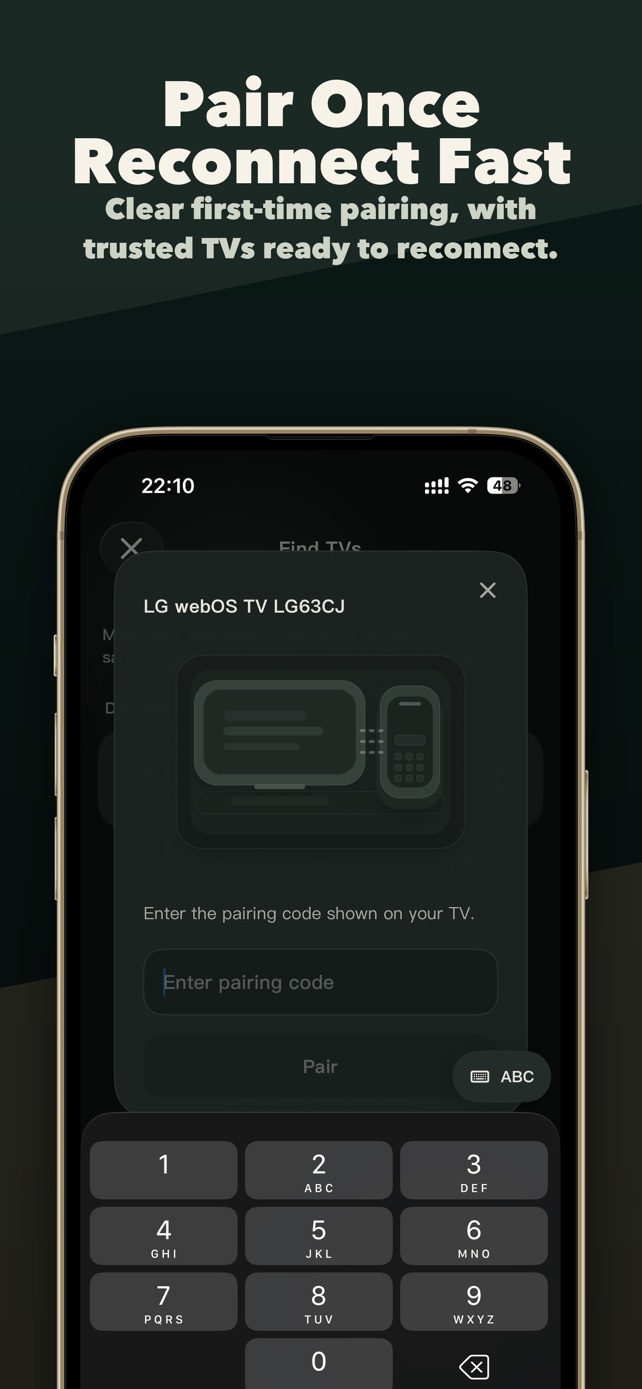
Before you choose a Toshiba remote app
Can I control my Toshiba TV with my iPhone?
Yes, if the TV exposes a compatible network-control service. Check the operating system in About or System information first. TVRemoteX support is conditional on the model and software; the Toshiba name alone is not enough.
Which app should I use for my Toshiba TV?
Choose by the TV platform. For TVRemoteX setup, follow the Fire TV, Android/Google TV or VIDAA guide that matches your television. Some Toshiba models instead document Smart Centre or Smart Remote. Those official apps are separate products and do not establish TVRemoteX compatibility.
Can I set up the app if I lost the physical remote?
If the TV is already on the home network and lets you complete its approval or pairing step, a compatible app may work. If it is offline or asks for a button press you cannot perform, downloading another app does not remove that requirement. Check the exact-model manual for physical TV controls or a suitable replacement remote.
Does it work without Wi-Fi?
TVRemoteX normally needs a shared home network for discovery and control. An offline TV cannot be reached through this normal setup. A TV connected by Ethernet may be reachable from an iPhone on the same local network, depending on the model and router.
Applicable scope
Brands and product families
Connection steps
Confirm the TV platform first
Open the TV's About, Support or System information screen and note the operating system or model. Multi-platform brands such as Hisense, TCL, Toshiba, Philips, Sony and Xiaomi can use different control routes.
Keep the TV awake, then select it in TVRemoteX
Leave the TV on its Home screen, open TVRemoteX, start discovery and choose the matching device name. Do not approve a request you did not initiate.
Follow the television's operating system
Check About or System information first. A Toshiba running Fire TV, Android/Google TV or VIDAA needs that platform's guide. Use a Smart Center route only when the TV itself exposes the corresponding network-control option; do not assume a reusable PIN.
Verify control before relying on advanced features
Test Home, Back and one volume command first. Keyboard, app launch, wake and casting are separate capabilities and may not be exposed by the selected route.
Optional technical detailsProtocol names and software-generation differences are kept here for advanced troubleshooting. Most people can follow the connection steps above without using this section.
Differences by model and software
Menu names and feature availability can vary by model, region and software version.
Network remote control must be enabled in the TV menu when the model exposes the option.
Normally no TVRemoteX PIN; local remote control must be availableThe brand ships multiple operating systems; choose the platform-specific route.
Use the Fire TV guideThe brand ships multiple operating systems; choose the platform-specific route.
Use the Android/Google TV pairing guideThe brand ships multiple operating systems; choose the platform-specific route.
Use the Hisense VIDAA guideSymptoms and fixes
| What you see | Likely cause | What to do |
|---|---|---|
| The TV does not appear | Local Network permission, guest Wi-Fi, VPN or client isolation is blocking discovery. | Enable iOS Local Network access, use the same non-guest LAN, pause the VPN and rescan with the TV awake. |
| Connected, but buttons do nothing | The TV accepted discovery but blocks third-party control, selected a limited route, or is showing a protected screen. | Check the platform's network-control setting, return to Home and test basic navigation before advanced commands. |
| The brand is found but pairing instructions look wrong | That brand uses another operating system, such as Roku TV, Fire TV, Android/Google TV or VIDAA. | Check About/System information and follow the operating-system guide instead of the logo on the bezel. |
| Power off works but wake does not | Deep standby disabled network wake, the TV lost Wi-Fi, or this connection method does not support wake. | If your model offers a network or mobile-device wake setting, enable it. Otherwise turn on the TV with its physical remote and reconnect. |
| An app shortcut is missing or will not open | The TV did not report that app, the app is not installed, or its identifier differs by model or region. | Install and open the app once on the TV, refresh the app list, and do not assume a shortcut exists on every region. |
| The documented setting is missing | Menu structure differs by model year, region or firmware, or the model does not expose local control. | Use the TV's built-in search or its exact model manual. Do not enable a similarly named setting unless the manual says it controls mobile/IP access. |
Manufacturer help
- 01
- 02
- 03
- 04HisenseHisense TV platform families
- 05
Did this guide help?
Thanks for your feedback.